
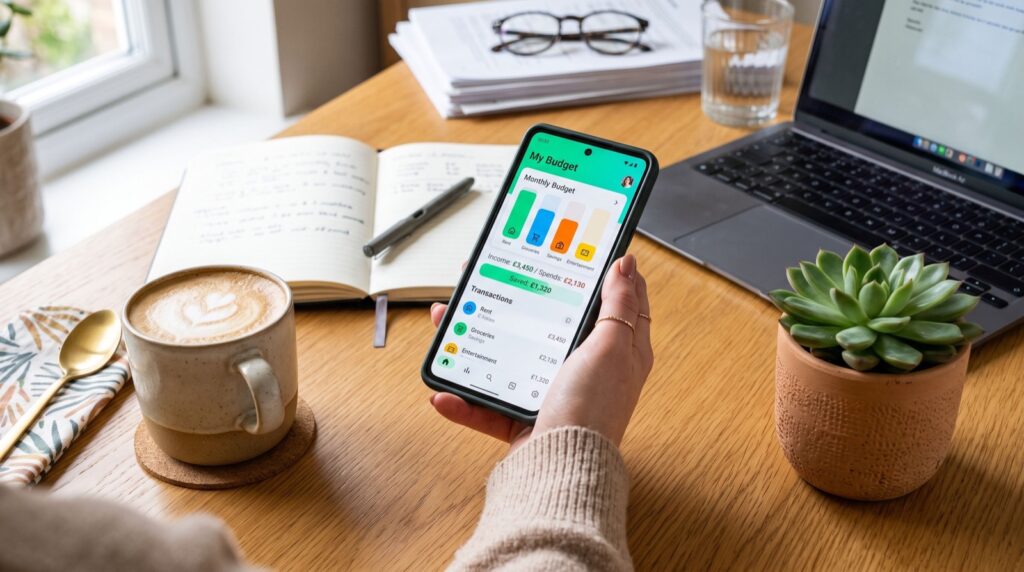
How to Save Money Automatically in 2026: Set It and Forget It
Learning how to save money automatically is the closest thing to a financial superpower in 2026. When saving happens in the background, you no longer rely on willpower or remembering to move cash. The money simply moves itself, and your balance grows while you get on with life. This guide shows you exactly how to automate your savings, which tools to use, and how to make the habit stick.
Automation works because it removes the hardest part of saving: the decision. Research summarized by Investopedia shows that people who automate transfers save more consistently than those who move money manually, largely because they never get the chance to talk themselves out of it.
Why Automatic Saving Beats Willpower
Willpower is a limited resource. After a long day, most people spend rather than save. Automation sidesteps that trap entirely by acting before you can.
When you save automatically, you also “pay yourself first.” The money leaves your checking account before bills and impulse buys claim it. What’s left becomes your true spending money, and you naturally adjust.
Today’s money apps make automation effortless. They can round up purchases, schedule transfers, and even move a percentage of every paycheck the moment it lands.
Five Ways to Save Money Automatically
There’s no single “right” way to automate. The best approach layers a few methods so savings grow from multiple directions at once.
- Direct-deposit split: Send part of your paycheck straight to savings.
- Recurring transfers: Schedule a fixed weekly or monthly move.
- Round-ups: Round every purchase to the next dollar and save the change.
- Rules-based saving: Save $5 every time you order takeout, for example.
- Windfall rules: Auto-route refunds and bonuses to savings.
Comparison of Automatic Saving Methods
Each method has strengths depending on how steady your income is and how much you want to save. Use this table to pick your mix.
| Method | Best For | Effort | Typical Monthly Savings |
|---|---|---|---|
| Direct-deposit split | Steady paychecks | One-time setup | $100–$500+ |
| Recurring transfer | Predictable budgets | One-time setup | $50–$300 |
| Round-ups | Frequent card users | Zero ongoing | $20–$60 |
| Rules-based | Habit changers | Low | $15–$75 |
How to Set Up Automatic Saving Step by Step
You can automate your savings in one short sitting. Here’s the process I use and recommend.
- Open a separate high-yield savings account so savings stay out of reach.
- Split your direct deposit—even 5% is a strong start.
- Schedule a small recurring transfer for the day after payday.
- Turn on round-ups in your banking or budgeting app.
- Create one savings rule tied to a habit you want to curb.
- Review the total every 90 days and nudge it upward.
Keep your savings at an insured bank. The FDIC protects deposits up to $250,000 per depositor, per institution, so your automated cash stays safe as it grows.
Avoiding Common Automation Mistakes
Automation is powerful, but a few missteps can derail it. Watch out for these traps.
First, don’t automate more than your budget allows. Overdraft fees eat your progress fast. Start conservative and raise the amount once you confirm the flow works.
Second, keep an eye on it. “Set and forget” doesn’t mean “never check.” Review your accounts monthly so you catch errors early. If you run a side business, a set of dependable specialists resources can help you separate business and personal savings cleanly.
Finally, choose the right tools. Compare the Cash App guide and other options to find an app with reliable round-ups and transfers that fit your habits.
How to Automate Saving for Specific Goals
General savings are great, but goal-based automation is even more motivating. When money flows toward something specific—a trip, a car, a home—you stay engaged and disciplined. Most modern apps let you create multiple savings buckets.
Start by naming each goal and setting a target date. The app then calculates how much you need to save per week or month. Automate that amount, and the goal funds itself in the background while you focus on daily life.
Layer your goals by priority. Fund your emergency cushion first, then split remaining automated savings across shorter-term goals. This keeps you protected while still making progress on the fun stuff, so saving never feels like pure sacrifice.
Revisit your goals every few months. Life changes, and so do priorities. Pause or redirect transfers as needed. The beauty of automation is that adjusting takes seconds, yet the system keeps working steadily in between check-ins.
Real Results You Can Expect from Automation
What does automatic saving actually deliver over a year? The numbers surprise most people. Small, consistent transfers compound into meaningful balances faster than you’d guess.
Consider a simple example. Save $25 a week automatically, add round-ups averaging $30 a month, and route a $500 tax refund into savings. In twelve months you’d bank roughly $2,160—without ever feeling a big pinch on any single day.
The real win, though, is behavioral. Once saving becomes invisible and automatic, you stop viewing it as a burden. It simply becomes part of how your money works. That mindset shift is worth more than any single deposit.
Over several years, these habits build real security. An emergency fund, a vacation paid in cash, or a down payment all become achievable. Automation turns “someday” into a dated, funded plan you can actually see coming.
Frequently Asked Questions
How can I save money automatically each month?
Set up a recurring transfer or split your direct deposit so a fixed amount moves to savings right after payday. Add round-ups for extra growth. Automation ensures you save before you spend.
Is automatic saving safe?
Yes, when you use reputable apps and FDIC-insured accounts. These use encryption and read-only access. Just monitor your balance to avoid overdrafts and confirm transfers post correctly.
How much should I automate at first?
Start with an amount you won’t miss—often 5% of income or as little as $20 a week. Confirm it doesn’t strain your budget, then increase it gradually over time.
What is a round-up savings feature?
Round-ups take each purchase up to the next whole dollar and move the difference into savings. A $3.40 coffee saves $0.60 automatically. Those small amounts quietly add up each month.
Final Thoughts
Knowing how to save money automatically turns a good intention into steady results. Split your paycheck, schedule transfers, switch on round-ups, and let technology do the heavy lifting. Then check in every few months and raise the amount. Automation removes friction and willpower from the equation, so your savings grow no matter how busy life gets. Set it up today and let 2026 be the year your money finally saves itself.